




How to Make Your Kitchen Counters Clutter-Free in Simple Steps
A cluttered kitchen counter can make cooking and cleaning feel like a chore. Keeping your counters clear not only improves the look of your kitchen but also creates a more efficient and enjoyable space to work in. If you find your kitchen counters are often crowded with appliances, utensils, and random items, this guide will help you bring order and calm back to your cooking area.
Why a Clutter-Free Kitchen Counter Matters
Having a clean, open countertop provides many benefits:
– More workspace: You have room to chop, mix, and prepare food without feeling cramped.
– Easier cleaning: Wiping down counters becomes quick and stress-free.
– Better organization: Finding what you need is simpler when everything has its place.
– Improved safety: Less clutter reduces the risk of accidents or spills.
Now, let’s look at how you can achieve this uncluttered look step-by-step.
Step 1: Clear Everything and Start Fresh
Begin by removing all items from your counters. This gives you a blank slate to work with.
– Take everything off and sort items into categories: keep, relocate, or discard.
– Clean your countertops thoroughly before returning any items.
Step 2: Assess What You Actually Use
Look critically at the items you had on your counters.
– Daily use: Things you use every day like a coffee maker or toaster can stay.
– Occasional use: Items used less often should be stored elsewhere.
– Rarely or never used: Consider donating or storing these out of sight.
This process helps reduce unnecessary clutter.
Step 3: Create Dedicated Zones
Organize your counters by creating zones based on tasks.
– Prep zone: Keep cutting boards, knives, and mixing bowls nearby.
– Cooking zone: Store frequently used pots, pans, and cooking utensils close to the stove.
– Coffee or breakfast zone: Dedicate a small spot for your coffee maker, mugs, and related supplies.
Zones help keep your space purposeful and tidy.
Step 4: Use Smart Storage Solutions
Utilize effective storage to keep the counters free.
Use Vertical Space
– Install wall-mounted shelves or magnetic strips for knives and spice jars.
– Hang frequently used utensils from hooks or rails.
Use Containers and Trays
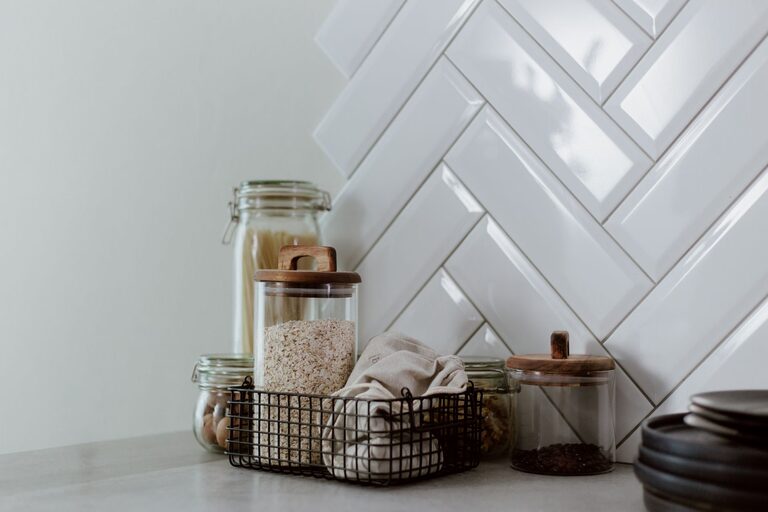
– Group small items like salt, pepper, and oils on a tray to keep them contained.
– Use clear containers for snacks or coffee pods to keep things organized and visible.
Store Appliances Elsewhere
– Appliances like blenders or food processors can be stored in cabinets when not in use.
– Only leave out what you use daily.
Step 5: Maintain a Clutter-Free Habit
Keeping your counters clear is an ongoing task.
– Daily reset: At the end of each day, put away items used during cooking.
– Limit countertop items: Try to keep only 2-3 items on your counters.
– Regular decluttering: Review your counters monthly and remove any accumulating clutter.
Step 6: Personalize Wisely
Adding a few decorative items like a plant or a nice bowl of fruit can make your kitchen feel warm without adding clutter. Choose a couple of favorites and stick to them.
Additional Tips for Success
– Keep a small basket on the counter for items that belong elsewhere and return them at day’s end.
– Label storage areas inside cabinets to make it easy to find and put away items.
– Use drawer organizers to reduce clutter spilling onto counters.
– Optimize cabinet and pantry space so counters don’t become secondary storage.
Conclusion
Making your kitchen counters clutter-free starts with thoughtful organization and a commitment to maintaining the space. By removing unnecessary items, creating zones, and using smart storage, you can enjoy a cleaner, more functional kitchen. Remember, a little daily effort goes a long way in keeping your counters looking neat and ready for your next cooking adventure!